

How to submit a Make-up Exam Transmittal:
DE Proctoring can administer Makeup Exams. The process is similar to submitting a regular test transmittal, requiring one extra step to select the student(s) you permit to take the Makeup exam. Students must access the exam via Blackboard.
The instructions below will help you submit a Makeup exam.
- On TestAccess, start the same way you would add a regular test. (Go to “Add Test” on the homepage)
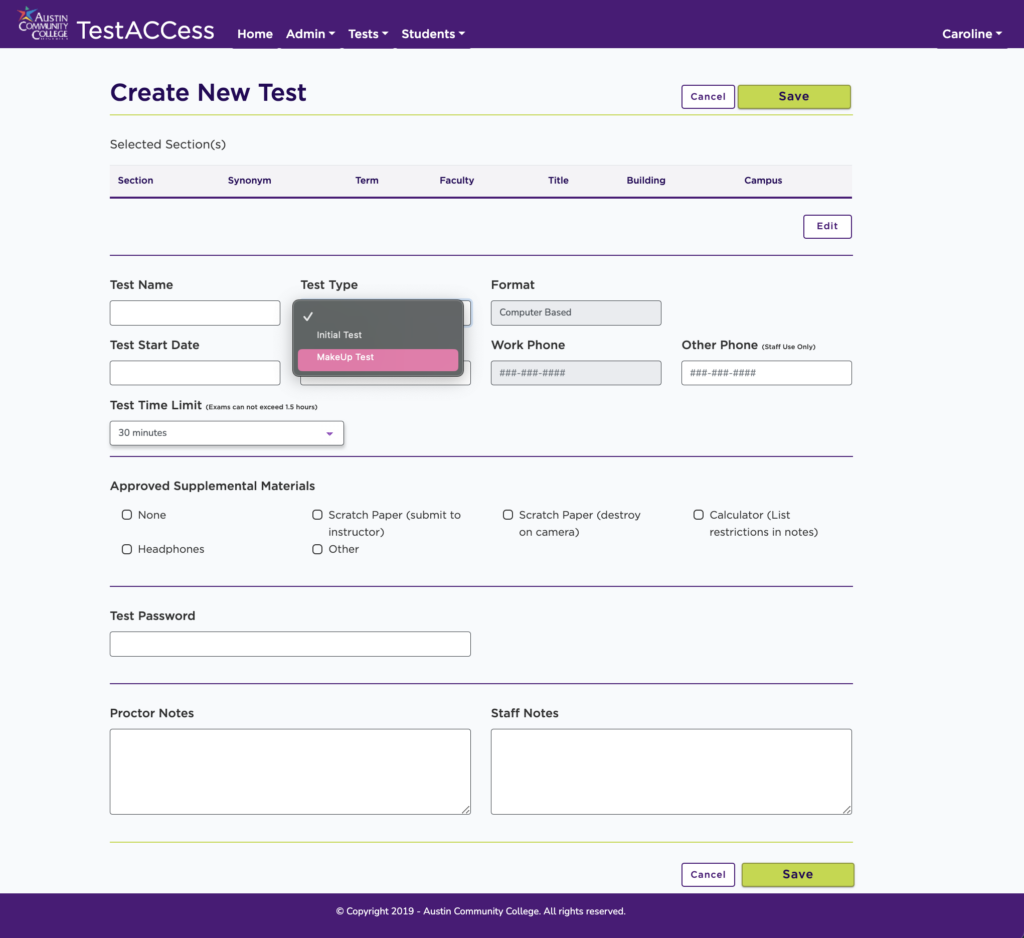
- You will see a drop-down menu labeled “Test Type,” then select “Makeup Test”.
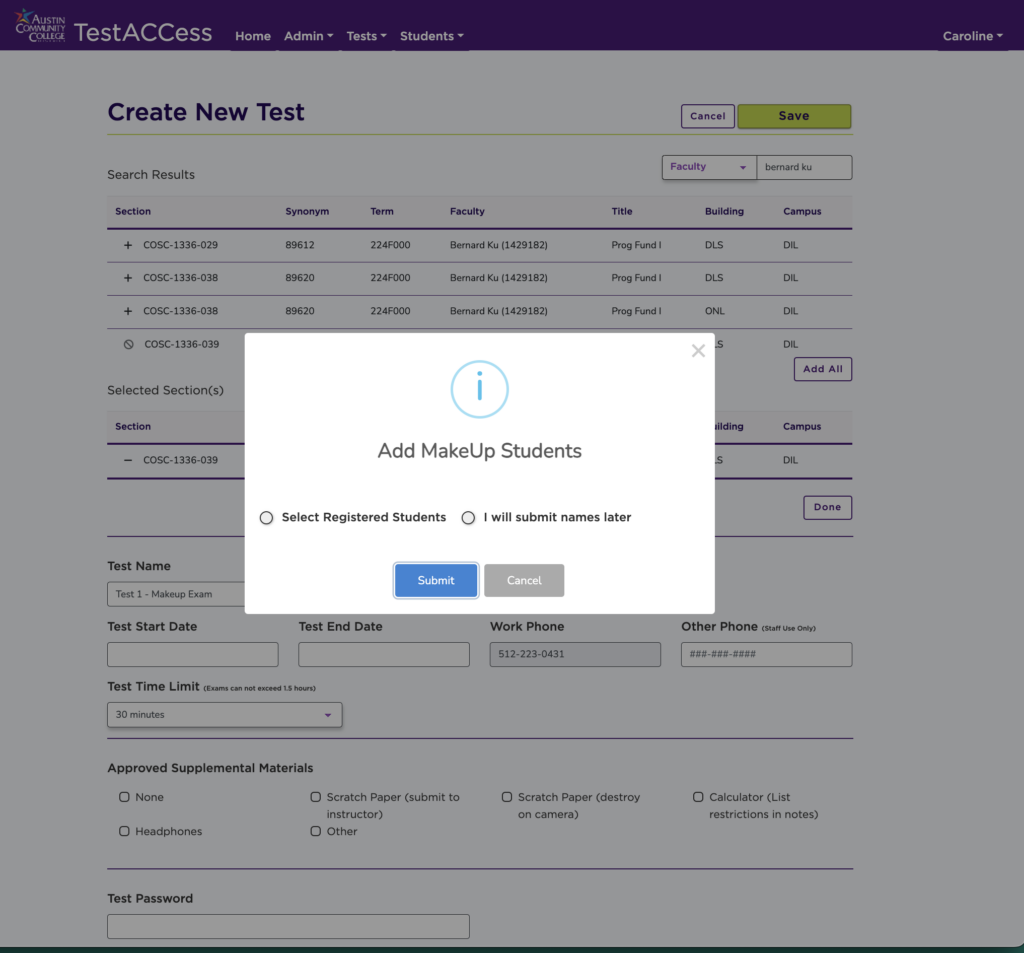
- A message will appear asking you to Add MakeUp Students with the options “Select Registered Students” and “I will submit names later.”
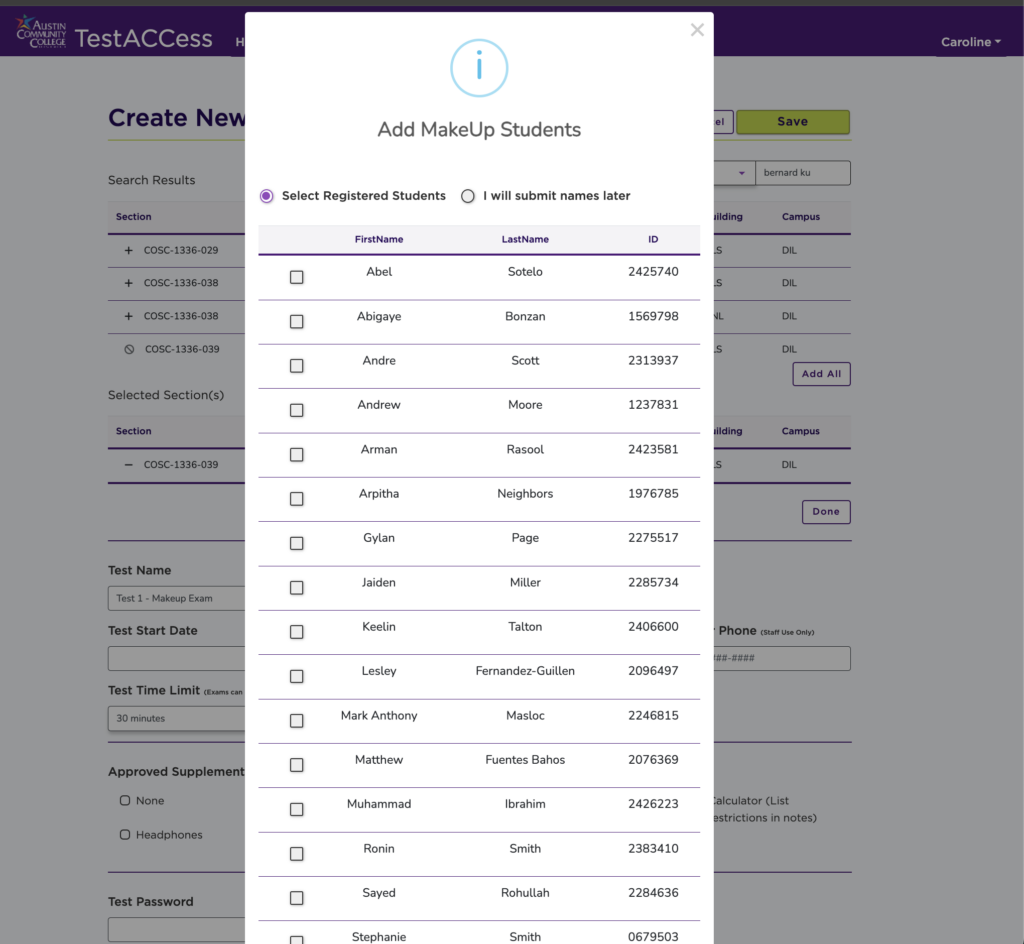
- If you already know who needs to take the makeup exam, click on “Select Registered Students,” then choose the student from your roster.
- Alternatively, you can add or update the students later by clicking on “Edit MakeUp Students.”

Input the other information as usual, such as the Start & End Dates, Time Limit, Materials, etc. Once completed, press Save, and the form will be sent to DE Proctoring for approval.
Please note:
- Students do not require separate permission.
- Testing will be limited to 25% of the course enrollment
- Students will schedule exams the same way as “regular” exams
