

As part of our ongoing accessibility initiatives, we are addressing common misconceptions and reinforcing key expectations to ensure efforts are aligned with the greatest impact for our students.

Myth:”Word/PowerPoint says my document is accessible, so I’ve met the standard.”
Truth: Accessibility checkers in tools like Word, PowerPoint, and Blackboard Ally each identify different potential issues. No single tool determines accessibility compliance.
At ACC, we use a 100% Ally score as a quality benchmark, not as a legal threshold. This benchmark establishes a shared aspirational target, helps prioritize high-impact accessibility improvements, and supports designing accessibility into courses from the outset.
Myth: “No one is checking, so I’ll just do it later.”
Truth: Ally scores are reviewed monthly, and department leaders are reaching out to faculty with low scores with the expectation that issues are remediated. While we are working toward a federal deadline, these improvements benefit all students.

Myth: “I store content on Blackboard Ultra that I don’t give to students, so I don’t need to fix it.”
Truth: The Ally score includes all content in your course—even hidden items. Remove unused files and store them elsewhere.

Myth: “If I just put the digital document somewhere else (Google Doc, Google Classroom, or other external site), then I don’t have to worry about accessibility.”
Truth: The law covers all digital items provided to students—even websites—so moving it won’t mean you meet the requirements.

Myth: “Word/PowerPoint says my document is accessible, so I’ve met the standard.”
Truth: The college uses the Blackboard Ally score to determine compliance. Other tools may have different standards. Ensure your file scores as close to 100% as possible in Ally.
Myth: “I can wait until April to think about this.”
Truth: Until you understand what is required and how much work is involved, we strongly encourage you not to delay.
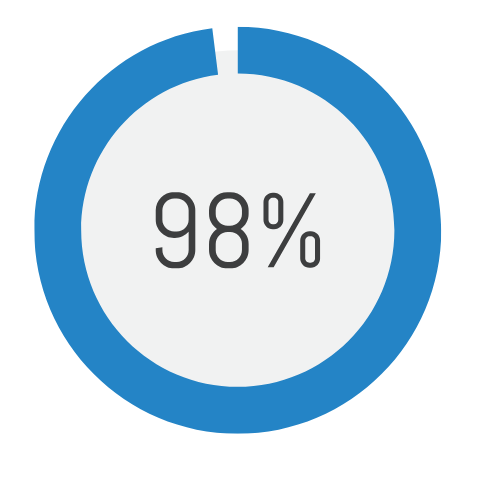
Myth: “I am failing because my Ally course score is only 98%.”
Truth: The goal is as close to 100% as possible. If you cannot reach 95% or higher after making a strong effort, contact your Instructional Designer or [email protected]. We are here to support.

Myth: “I have too many things to fix and don’t have time to do this alone.”
Truth: You don’t have to do it alone. Reach out to your Instructional Designer or [email protected]. We have a team ready to support you.